Quick Answer
A website redesign is the structured process of rebuilding a business website’s design, content, and technical foundation to fix a specific problem — usually low conversions, outdated design, poor mobile experience, or falling search visibility. A safe, effective redesign for a small or mid-sized US business typically costs $5,000–$75,000+ depending on scope, takes 6–16 weeks, and requires a documented SEO redirect plan to avoid losing search rankings. Done right, it should be built for how both people and AI search engines — Google AI Overviews, ChatGPT, Perplexity, Gemini, and Copilot — find and cite your business.
TL;DR
Most website redesigns fail for one of three reasons: no audit before rebuilding, no SEO redirect plan, or a design chosen for looks instead of conversions. Low conversion rate is the single most common reason businesses redesign in the first place, and a well-executed UX overhaul can lift visit-to-lead conversion significantly. On the risk side, most website migrations do not improve rankings, and broken or missing 301 redirects are the leading cause of post-launch traffic loss. The fix isn’t “redesign carefully” as a vague idea — it’s a specific sequence: audit first, map every URL, rebuild architecture around real search intent (including how AI engines read your content), design for conversion, then launch with redirects tested before go-live. This guide walks through the full process, real 2025–2026 cost and performance data, a checklist you can use today, and how Pixly Digital builds redesigns natively for the AI search era instead of retrofitting an old site for it.
What Counts as a “Website Redesign” in 2026?
A website redesign is not the same as a redecoration. Swapping a color scheme or adding a new logo is a refresh. A true redesign touches structure: information architecture, page templates, content strategy, technical SEO foundations, and often the platform itself (moving from an outdated builder to WordPress, Shopify, or a custom build).
For a small business owner in Texas — or anywhere in the US — the practical question isn’t “what is a redesign,” it’s “does my site need one, and what happens if I get it wrong.” Both are answered below.
How Do You Know When It’s Time to Redesign Your Website?
Business owners rarely wake up wanting a new website for its own sake. They redesign because something measurable is broken. Industry research on why businesses initiate redesign projects points to a consistent pattern: low conversion rate, high bounce rate, poor UX, and lack of mobile responsiveness are the four most common triggers, in that order of frequency.
Signs it’s time, in plain terms:
- Your site looks fine on a laptop but breaks or feels clunky on a phone — and most of your traffic is on a phone.
- People land on your homepage and leave without calling, booking, or filling out a form.
- Your last redesign happened before AI search existed as a real traffic source, and your content isn’t structured for it.
- A competitor with a worse product is outranking you and getting quoted inside ChatGPT or Google’s AI Overview and you aren’t.
- Your site takes more than a couple of seconds to load, and you can feel visitors bouncing.
- You’re embarrassed to send a cold prospect your own homepage.
Example — the local plumber: A Dallas-area plumbing company gets plenty of Google Maps calls but almost zero form fills from its actual website. The homepage has no clear call-to-action above the fold and no service-area pages for the specific suburbs it covers. That’s not a traffic problem. It’s a conversion and architecture problem — exactly what a redesign is supposed to fix.
What Should a Complete Website Redesign Strategy Include?
A redesign strategy has four pillars. Skipping any one of them is how businesses end up with a beautiful site that performs worse than the outdated one it replaced.
1. A Full Website Audit Before Anything Is Rebuilt
Before a single new page is designed, you need to know what’s actually working on the current site: which pages drive traffic, which pages convert, which URLs have backlinks, and which technical issues (broken links, slow load times, missing schema) are already dragging performance down. Redesigning without this baseline means you can’t tell, after launch, whether the new site actually improved anything — you have nothing to compare it to.
2. Site Architecture Built Around Real Questions People Ask
Modern site architecture isn’t built around what a business wants to say about itself — it’s built around the actual questions customers and AI search engines are trying to answer. That means organizing content into clear service, location, and question-based pages rather than one dense “About Us to Contact Us” funnel.
Example — dental clinic: Instead of one generic “Services” page listing every procedure in one paragraph, a well-architected dental site has individual pages for “emergency dental care,” “same-day crowns,” and “pediatric dentistry,” each answering the specific questions a patient (or an AI assistant summarizing options for that patient) would ask.
3. UX and Conversion Design, Not Just Visual Design
Design decisions should be justified by behavior, not preference. A site that focuses on a genuinely better user experience can see a dramatically higher visit-to-lead conversion rate than one that doesn’t, according to widely cited Forrester Research analysis on UX and conversion. That’s not a small edge — it’s often the difference between a redesign that pays for itself and one that doesn’t.
4. Content and Technical Foundations Built for AI Search, Not Retrofitted for It
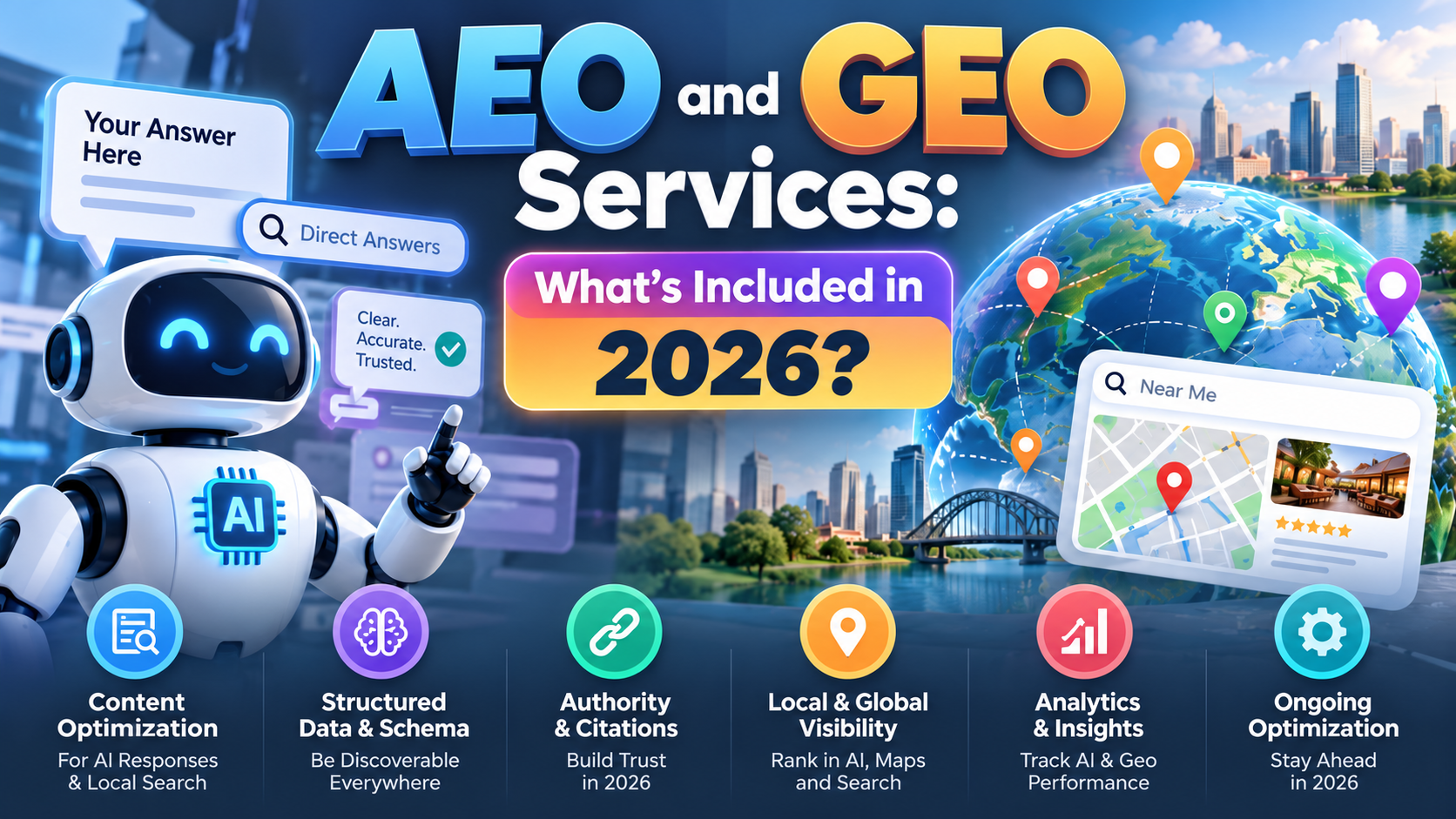
This is the pillar most agencies still get wrong in 2026. Traditional SEO optimizes for ranking in a list of ten blue links. Answer Engine Optimization (AEO) and Generative Engine Optimization (GEO) optimize for being the source an AI system actually cites or quotes when it answers a customer’s question directly — inside ChatGPT, Google AI Overviews, Perplexity, Gemini, or Microsoft Copilot. A redesign that doesn’t account for this from day one is already outdated the day it launches. This is the core of how Pixly Digital’s AEO/GEO services approach every redesign project — structure and content built to be understood and cited by AI systems, not bolted on afterward.
How Much Does a Website Redesign Cost?
There’s no single honest answer to “how much does a website redesign cost” — the range is wide because scope varies enormously. Based on current US web design agency pricing data, realistic ranges look like this:
- Small business brochure site (5–15 pages): roughly $5,000–$15,000
- Mid-size business site with custom features, blog, and CRM integration: roughly $15,000–$36,000
- Larger site with 150+ pages, ecommerce, or complex functionality: roughly $36,000–$75,000 or more
Typical US web design agency quotes for a redesign project span $5,000 to $75,000, depending on page count, custom functionality, and content volume. The single biggest cost driver isn’t the visual design — it’s how much structural and content work the site needs: how many pages must be rebuilt, how much content must be rewritten for both users and AI search, and how complex the technical migration is.
A cautionary data point: in one documented case, a business spent $15,000 on a new website and saw traffic drop 40% in the first month — not because the design was bad, but because redirects were never implemented. The design budget and the SEO safety budget are not the same line item, and skipping the second one to save money is the most expensive mistake in this entire process.
How Do You Redesign a Website Without Losing SEO Rankings?
This is the question that keeps business owners from redesigning a site they know is outdated — and it’s a legitimate fear. The data backs up the caution: most website migrations do not result in improved search rankings, and a large share of businesses that redesign without a redirect plan see meaningful, sometimes long-term, organic traffic loss.
The overwhelming cause is not “Google punishing new designs.” It’s missing or broken 301 redirects — the permanent signal that tells Google (and every AI crawler) that an old URL has permanently moved to a new one. Improper or missing redirects are consistently identified as the leading cause of post-launch traffic loss in redesign projects.
The safe sequence, in order:
- Export every indexed URL from Google Search Console before touching anything.
- Build a complete 1-to-1 redirect map — every old URL points to its closest new equivalent, not a generic homepage redirect.
- Preserve or improve on-page SEO elements (headings, word count, internal links) on your most important existing pages rather than deleting and starting over.
- Test every redirect on a staging environment before launch — not after.
- Keep URL structure unchanged wherever possible; the single safest SEO move in any redesign is not changing URLs you don’t have to change.
- Monitor Google Search Console daily for the first two weeks after launch, watching specifically for 404 spikes.
Google itself needs roughly 4–12 weeks to fully process a large site change, so some short-term ranking fluctuation is normal even in a well-executed redesign. A permanent, unrecovered drop is the sign something in the redirect chain broke — not an inevitable cost of doing business.
What Makes a Website Redesign Conversion-Focused?
A conversion-focused redesign treats every page as a hypothesis to be tested, not a finished product. Disciplined, ongoing testing programs — headlines, calls-to-action, form length, pricing display — have been shown to deliver meaningful cumulative conversion gains over a sustained testing period, well beyond what a one-time visual refresh delivers on its own.
Example — boutique ecommerce: An Austin-based boutique clothing brand redesigns its product pages to add clear size guidance, real customer photos, and a simplified one-page checkout. None of that is a “design” change in the traditional sense — it’s friction removal, and friction removal is where most conversion gains actually come from.
Example — Texas-based B2B company: A B2B manufacturing supplier in Houston redesigns its site around a clear “Request a Quote” path from every service page, instead of routing every visitor through a single generic contact form. The redesign didn’t add flash — it removed steps between “interested” and “converted.”
Conversion-focused elements worth prioritizing in almost any SMB redesign:
- One clear, repeated primary call-to-action per page — not three competing ones.
- Real testimonials, reviews, or case studies placed near the point of decision, not buried on a separate page.
- Mobile checkout and form flows tested on an actual phone, not just a desktop browser resized smaller.
- Page load speed treated as a conversion feature, not a technical afterthought — visitors form an opinion of a site within milliseconds of it loading.
- Video or visual proof of the product or service in action where it’s genuinely relevant, since video content is consistently associated with meaningfully higher conversion rates than pages without it.
Website Redesign Checklist for Better Conversions
A working checklist, in the order it should actually happen:
- Audit current traffic, conversions, and technical SEO health.
- Define the redesign’s business goal in one sentence — more calls, more bookings, more online orders.
- Map site architecture around real customer and AI-search questions, not internal org charts.
- Build a complete 301 redirect map before design work begins.
- Design mobile-first, since the majority of traffic for most SMB sites now arrives on a phone.
- Write content for AEO/GEO — direct answers near the top of each page, clear headings phrased as questions, and structured data.
- Test load speed and Core Web Vitals before launch, not after complaints start.
- Add schema markup (LocalBusiness, FAQ, Service) so both search engines and AI systems can parse the page correctly.
- Run a staging-environment test of every redirect and form.
- Launch, then monitor Search Console and analytics daily for two weeks.
Why AEO and GEO Matter More Than Traditional SEO for a 2026 Redesign
Search behavior has changed faster in the last two years than in the previous ten. AI referral traffic — visits arriving from ChatGPT, Perplexity, Gemini, and similar systems — has grown enormously year over year, and AI-driven search visitors convert at a meaningfully higher rate than average organic search traffic in several independent 2025–2026 studies. At the same time, AI Overviews now answer a large share of Google queries directly on the results page, meaning a growing number of searches end without any click at all.
This changes the redesign brief entirely. It’s no longer enough to rank; a business needs to be the source an AI system trusts enough to cite by name when it answers a customer’s question. That requires:
- Clear, direct answers stated in plain language near the top of a page — not buried under three paragraphs of throat-clearing.
- Structured, well-organized headings that mirror how people actually phrase questions to an AI assistant.
- Accurate, consistent business information (name, service area, hours, pricing logic) repeated across the site and marked up with schema, since inconsistency is one of the fastest ways to be excluded from an AI-generated answer.
- Fresh, regularly updated content — AI platforms tend to favor and cite more recently updated pages over stale ones.
This is exactly the gap a traditional redesign leaves open, and it’s why a redesign built by an agency that treats AEO/GEO as a bolt-on service — rather than the foundation — tends to age poorly within a year of launch.
How Pixly Digital Approaches a Website Redesign
Pixly Digital is a Coppell, Texas-based digital marketing and web development agency built specifically for the AI search era — not an SEO agency that added “AI” to its service list after the fact. Every redesign Pixly Digital delivers starts from the same premise: a website has to work for a human visitor and be legible to an AI system in the same pass, because increasingly those are the same customer journey.
In practice, that means a Pixly Digital redesign runs through four connected disciplines rather than treating design and search as separate projects:
- AEO/GEO Services: structuring content, schema, and answer formatting so ChatGPT, Google AI Overviews, Perplexity, Gemini, and Copilot can accurately find, understand, and cite the business.
- SEO Services: the technical and content foundation — audits, redirect mapping, keyword architecture — that protects and grows organic visibility through the transition.
- Web Design Services: conversion-focused design and UX built around the specific business goal of the redesign, not a generic template.
- Frontend Development and AI/ML Services: the technical build itself, including the performance and structured-data implementation that makes the AEO/GEO strategy actually work in production, not just in a strategy document.
For businesses running paid acquisition alongside the redesign, Pixly Digital’s Paid Ads Services are built to plug into the same conversion architecture, so traffic bought through ads lands on pages already engineered to convert it.
The result Pixly Digital aims for on every project ties directly back to its own positioning: Grow. Rank. Convert. Growth in visibility across both traditional and AI search, ranking that holds through the technical transition, and a site structure that turns that visibility into calls, bookings, and revenue.
Key Takeaways
- Low conversion rate, not boredom with the old design, is the most common reason businesses redesign — start every redesign project by defining the specific business metric it needs to move.
- A safe US small-business redesign typically costs $5,000–$75,000+ and takes 6–16 weeks, with cost driven primarily by page count and content complexity, not visual polish.
- Missing or broken 301 redirects are the leading cause of post-launch traffic loss — a complete, tested redirect map is non-negotiable, not optional insurance.
- AI search (ChatGPT, Google AI Overviews, Perplexity, Gemini, Copilot) is now a meaningful and fast-growing traffic source, and AI-referred visitors convert at a notably higher rate than average organic traffic, so a 2026 redesign has to be built for AEO/GEO from the start.
- Conversion-focused design beats decoration — clear calls-to-action, mobile-first UX, and real proof (reviews, video, case studies) consistently move the needle more than a new color palette.
FAQ
How much does a complete website redesign cost for a small business?
Most small business redesigns in the US run $5,000–$36,000, depending on page count and functionality. Larger sites with ecommerce or 150+ pages can reach $75,000 or more. The biggest cost driver is content and structural complexity, not visual design alone — get a scoped quote based on your actual page count and features.
How long does a website redesign take?
A typical small-to-midsize business redesign takes 6–16 weeks from audit to launch, depending on content volume and how much custom development is required. Rushed timelines usually skip the audit or redirect-mapping steps, which is where most post-launch problems originate.
Will I lose my Google rankings if I redesign my website?
Not if it’s planned correctly. Ranking loss is caused almost entirely by missing or broken 301 redirects, deleted content, or slower page speed on the new site — not by redesigning itself. A complete redirect map tested before launch is the single most effective protection.
What is the difference between SEO and AEO/GEO for a website redesign?
Traditional SEO optimizes to rank in a list of search results. AEO (Answer Engine Optimization) and GEO (Generative Engine Optimization) optimize for being directly cited inside AI-generated answers on platforms like ChatGPT, Google AI Overviews, Perplexity, and Gemini. A 2026 redesign needs both, since AI-referred traffic converts at a notably higher rate than average search traffic.
How do I know if my business actually needs a website redesign?
The clearest signals are a low or falling conversion rate, poor mobile experience, outdated design that undermines trust, and declining visibility in both traditional and AI search. If two or more of these apply, a redesign is likely overdue rather than premature.
Should I keep my existing URLs during a redesign?
Wherever possible, yes. Keeping URL structure unchanged is the safest single SEO decision in any redesign, since it avoids the redirect risk entirely for those pages. Where URLs must change, a documented 1-to-1 redirect map is essential.
Ready to Redesign With Growth, Rankings, and Conversions in Mind?
A website redesign built only for looks is a wasted budget in 2026. Pixly Digital builds redesigns natively for how customers and AI search engines — ChatGPT, Google AI Overviews, Perplexity, Gemini, and Copilot — actually find and evaluate a business, without sacrificing the conversion fundamentals that turn visitors into revenue. If your site is costing you leads, rankings, or credibility, let’s fix the root cause instead of repainting the surface. Email hello@pixlydigital.com to book a consult with Pixly Digital. Grow. Rank. Convert.